
G 5G 2026
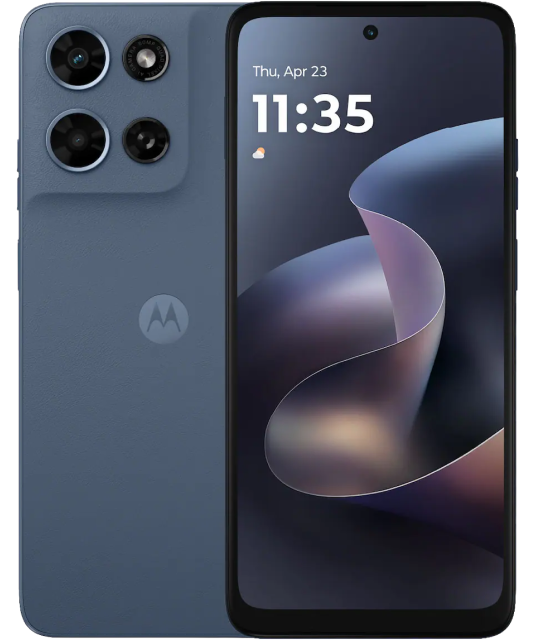
G 5G 2026
The Motorola Moto G 5G 2026 is a budget-friendly 5G smartphone featuring a large 6.7″ HD+ display with 120Hz refresh rate for smooth visuals. It includes a dual-camera system for clear photos and videos, a capable processor with RAM Boost for smoother multitasking, and expandable storage for all your apps and media. A long-lasting battery ensures full-day use, while 5G connectivity keeps you fast online. Compact yet functional, it’s designed for users seeking reliable performance and essential smartphone features at an affordable price.
- OS: Android 16
- Screen: 6.7” HD+ (1604x720)/263ppi / LCD 120Hz refresh rate / Corning Gorilla Glass 3
- Storage: 128GB/4GBRAM – Expandable up to 1TB with micro SD
- Processor: MediaTek Dimensity 6300 processor with 2.4GHz octa-core CPU and Arm Mali-G57 MC2 GPU
- Camera Rear: MAIN: 50MP sensor f/1.8 aperture / 0.61um pixel size / Quad Pixel Technology for 1.22um, PDAF / Ambient Light sensor. CAMERA 2: 2MP f/2.5 aperture 1.75um pixel size / Macro vision
- Front Camera: 32MP / f/2.2 aperture / 0.64um pixel size
- Network: 5G: 4G: 3G: 2G / NFC: Yes
- Wi-Fi: 802.11 / 2.4GHz & 5GHz, Wi-Fi Hotspot
- Connectivity: 30W device charging capable
- Gestures: Quick Capture / Fast Flashlight / Flip for DND / Pick Up To Silence / Three-Finger Screenshot / Attentive Display / Media Controls / Lift to Unlock / Swipe to Split / Quick Launch
- Security: Fingerprint Reader/ Face Unlock / ThinkShield
- Battery: 5200 mAh
- Hearing Aid Compatibility
- This phone includes a one year manufacturer warranty
FAQs
Here are a few ways to check:
- Ask your current carrier if the device is unlocked and no longer tied to a contract or payment plan.
- If you are buying the device, confirm the unlock status before purchasing.
-
Check your device settings:
iPhone: Settings > General > About > Carrier Lock. “No SIM restrictions” usually means the phone is unlocked.
Android: Settings > Connections/Network > Mobile Networks > Network Operators. Turn off “Select automatically” and wait for the list. If multiple networks appear, the phone is likely unlocked.
- Try another SIM: Insert a SIM from a different carrier. If the phone connects, it is unlocked.
If you buy a phone from PureTalk: Your phone includes a physical SIM unless it is eSIM-only. For eSIM-only phones, you will download the eSIM during activation.
If you bring your own phone: eSIM requires a phone compatible with PureTalk eSIM. Check your device on our eSIM page. If your phone is not eSIM compatible, you will need a physical SIM.
If you want to confirm your phone works with PureTalk service, use the Compatibility Checker on our homepage.