
iPhone 16
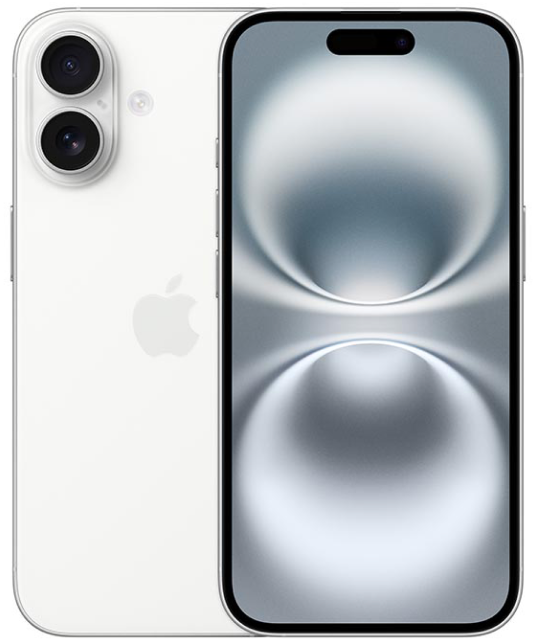
iPhone 16
iPhone 16. Built for Apple Intelligence. 1: Featuring Camera Control. 48MP Fusion camera. Five vibrant colors. And A18 chip..
- BUILT FOR APPLE INTELLIGENCE—Apple Intelligence is the personal intelligence system that helps you write, express yourself, and get things done effortlessly. With groundbreaking privacy protections, it gives you peace of mind that no one else can access your data. Coming fall 2024. 1:
- TAKE TOTAL CAMERA CONTROL—Camera Control gives you an easier way to quickly access camera tools, like zoom or depth of field, so you can take the perfect shot in record time.
- GET FURTHER AND CLOSER—The improved Ultra Wide camera with autofocus lets you takes incredibly detailed macro photos and videos. Use the 48MP Fusion camera for stunning high-resolution images, and zoom in with the 2x optical-quality Telephoto.
- PHOTOGRAPHIC STYLES—The latest-generation Photographic Styles give you greater creative flexibility, so you can make every photo even more you. And you can reverse any of those styles anytime you want.
- SUPERSMART A18 CHIP—A18 jumps two generations ahead of the A16 Bionic chip in iPhone 15. It enables Apple Intelligence, powers advanced photo and video features, and supports console-level gaming, with exceptional power efficiency.
- LONGER BATTERY LIFE—iPhone 16 works together with the A18 chip to deliver a big boost in battery life with up to 22 hours video playback.2: Charge via USB-C or snap on a MagSafe charger for faster wireless charging.3:
- DESIGNED TO LAST—iPhone 16 has a sturdy, aerospace-grade aluminum design with a 6.1-inch Super Retina XDR display. 4: It’s remarkably durable with the latest-generation Ceramic Shield material that’s 2x tougher than any smartphone glass.
- CUSTOMIZE YOUR IPHONE—With iOS 18 you can tint your Home Screen icons with any color. Find your favorite shots faster in the redesigned Photos app. And add playful, animated effects to any word, phrase, or emoji in iMessage. 5:
- SATELLITE CONNECTIVITY—If you don't have cell service or Wi-Fi, iPhone can connect to a satellite so you can send and receive messages and Tapbacks. 6: In a severe car crash, iPhone can connect to emergency services when you can't. 7:
-
Apple Intelligence will be available in beta on all iPhone 16 models, iPhone 15 Pro, and iPhone 15 Pro Max, with Siri and device language set to U.S. English, as an iOS 18 update in fall 2024. Some features and additional languages will be coming over the course of the next year. ↩ ↩
-
Battery life varies by use and configuration. See apple.com/batteries for more information. ↩
-
Accessories sold separately. ↩
-
The displays have rounded corners. When measured as a rectangle, the screen is 6.12 inches (iPhone 16), 6.69 inches (iPhone 16 Plus), 6.27 inches (iPhone 16 Pro) or 6.86 inches (iPhone Pro Max) diagonally. Actual viewable area is less. ↩
-
Some features may not be available for all countries or all areas. ↩
-
Roadside Assistance, Emergency SOS, and Messages via satellite are included for free for two years with the activation of any iPhone 14 or later model. Connection and response times vary based on location, site conditions, and other factors. Messages via satellite requires a carrier plan. SMS messaging via satellite is available on supported carriers. SMS message rates may apply. See https://support.apple.com/kb/HT213885 for more information. ↩
-
iPhone 16 and iPhone 16 Pro can detect a severe car crash and call for help. Requires a cellular connection or Wi-Fi calling. ↩
FAQs
Yes! Most unlocked phones are compatible with PureTalk’s network. To confirm your phone is compatible, use the Compatibility Checker on our Plans page.
The Compatibility Checker cannot verify if your phone is unlocked. You may be able to check its lock status in your device settings.
iPhone: Go to “Settings” > “General” > “About,” then look for “Carrier Lock.” If you see “No SIM Restrictions,” your iPhone is unlocked.
Android: Menu options vary by device. Go to “Settings” and select “Connections” or “Network & Internet.” Then, select “Mobile Networks” or “More Connection Settings” and look for “Network Lock Status.” If you see “Unlocked,” your device is unlocked.
If you cannot find this information or are still unsure, please contact your current carrier to confirm.
You may be able to check your phone's lock status in your device settings.
iPhone: Go to Settings > General > About, then look for Carrier Lock. If you see “No SIM Restrictions,” your iPhone is unlocked.
Android: Menu options vary by device. Go to Settings and select Connections or Network & Internet. Then, select Mobile Networks or More Connection Settings and look for Network Lock Status. If you see “Unlocked,” your device is unlocked.
If you cannot find this information or are still unsure, please contact your current carrier to confirm.
PureTalk offers device financing to qualifying customers for up to 4 devices and 1 Apple Watch. Device payments would be added to your monthly bill over a 36-month period.
Unlike many other wireless carriers, PureTalk does not lock devices to our network.
Use our Compatibility Checker to confirm your phone is compatible with PureTalk’s network. Your phone must also be unlocked.
The Compatibility Checker cannot confirm your phone’s unlock status. You may be able to check it through your phone’s settings:
For iPhone:
Open Settings.
Select General.
Select About.
Find Carrier Lock. An unlocked iPhone will display No SIM Restrictions.
For Android:
Open Settings.
Select Connections or Network & Internet.
Select Mobile Networks or More Connection Settings.
Find Network Lock Status. An unlocked phone should display Unlocked.
Android menu options vary by manufacturer and model. If you cannot find the unlock status or are unsure, contact your current carrier for confirmation. Phones with remaining device payments may remain locked depending on the carrier’s policy.
The SIM type you need depends on your device model.
If you buy a phone from PureTalk: Your phone includes a physical SIM unless it is eSIM-only. For eSIM-only phones, you will download the eSIM during activation.
If you bring your own phone: eSIM requires a phone compatible with PureTalk eSIM. Check your device on our eSIM page. If your phone is not eSIM compatible, you will need a physical SIM.
If you want to confirm your phone works with PureTalk service, use the Compatibility Checker on our homepage.
When you purchase a device with a new line of PureTalk service, you may qualify for a device discount based on the plan you choose. Discounts can be up to $300 off the device price. If the device price is less than the discount amount, the device is free. Additional terms apply.
Yes. When you purchase a phone with a new line of PureTalk service, you may qualify for a device discount with an eligible plan. The discount amount depends on the plan you choose. Additional terms apply.
To qualify for a phone discount, you must purchase a phone with a new line of service on an eligible plan, port your number to PureTalk, stay enrolled in AutoPay, and remain on an eligible plan for 36 months. Additional terms may apply.